Can You Get On A Plane With A Temporary ID?
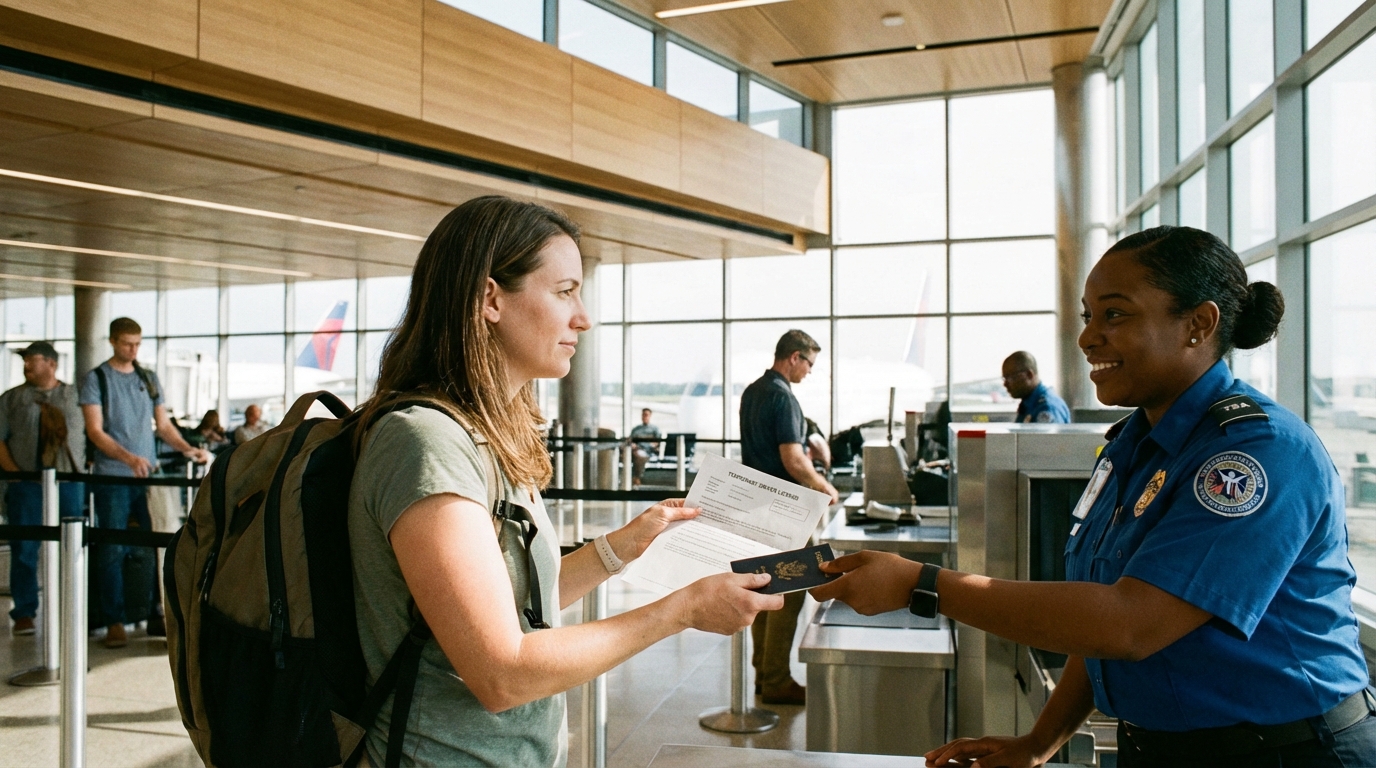
Quick Answer
A temporary paper driver's license is not on TSA's list of accepted identification. But that doesn't necessarily mean you're stuck. Here's what actually works at the checkpoint, what your backup options are, and how the new TSA ConfirmID program can save your trip.
The Quick Answer
A temporary paper driver's license is not officially accepted by TSA as valid identification for domestic flights. It's not on the list of approved IDs. However, you're not completely out of luck — there are several workarounds, including the new TSA ConfirmID program that launched in February 2026.
Let's walk through what actually happens at the checkpoint and what your options are.
Why Temporary IDs Don't Work
When you renew your driver's license or apply for a new one, most states give you a temporary paper document to use while your permanent card is being printed and mailed. The problem is that these temporary IDs typically lack the security features TSA needs to verify authenticity — no hologram, no REAL ID star, and often no photo.
TSA's official list of acceptable identification doesn't include temporary paper licenses. Since REAL ID enforcement began in May 2025, the bar has gotten even higher. TSA needs to see a REAL ID-compliant document with specific security markings, and a printed piece of paper from your DMV doesn't cut it.
The Photo Issue
Many temporary IDs don't include a photo, which is a non-starter at TSA. Even in states where the temporary license does include a photo, it's typically printed on plain paper that's easy to replicate. TSA officers are trained to verify IDs against specific security standards, and a paper printout fails those checks.
What TSA Might Accept Instead
If your permanent license hasn't arrived yet, you likely have other forms of ID that TSA will accept. Here's the full list of acceptable identification:
- U.S. passport or passport card — the gold standard backup ID
- REAL ID-compliant driver's license or state ID — look for the gold star
- Military ID (DoD CAC)
- DHS trusted traveler cards — Global Entry, NEXUS, SENTRI, FAST
- Permanent resident card (green card)
- Border crossing card
- Foreign government-issued passport
- Federally recognized tribal photo ID
- Enhanced Driver's License (EDL) — issued by some border states
- Veteran Health ID card (VHIC)
- Mobile driver's license (mDL) — accepted from certain states
- Digital IDs — Apple Digital ID, Clear ID, Google ID pass (where available)
If you have any of these, use them instead of your temporary paper license.
The Expired License + Temporary ID Combo
Here's a strategy that often works. If you renewed your license and still have the old, expired card, bring both:
- Your expired license provides the photo and security features
- Your temporary paper ID shows that you've renewed
TSA accepts expired IDs that expired within the last two years. So if your old license hasn't been expired for more than two years and it's REAL ID-compliant (has the gold star), you can use it at the checkpoint. The temporary paper serves as supporting evidence but isn't the primary ID.
This is the most common and reliable workaround for travelers caught between their old and new licenses.
TSA ConfirmID: The $45 Backup Plan
Starting February 1, 2026, TSA launched ConfirmID — a formal identity verification program for travelers who can't present acceptable ID. Here's how it works:
The Process
- Step 1: Go to TSA.gov/ConfirmID and pay the $45 fee before your trip (you can also pay at the airport, but online is faster)
- Step 2: At the airport, show your pay.gov receipt (printed or screenshot) to the TSA officer
- Step 3: Provide any government-issued ID you have — even a temporary paper one — plus biographic information
- Step 4: TSA verifies your identity against their databases
- Step 5: If verified, you proceed through security screening
Key Details
- The $45 fee covers a 10-day travel period — good for round trips
- The process can take up to 30 minutes, so arrive early
- There's no guarantee your identity will be verified — if TSA can't confirm who you are, you won't fly
- Pay online before your trip to speed things up at the airport
ConfirmID is essentially the formalized version of what TSA officers used to do informally when travelers showed up without ID. It's now an official program with a fee attached.
Mobile Driver's Licenses
An increasingly viable option: if your state offers a mobile driver's license (mDL) through an app, TSA may accept it. Several states now issue digital IDs that TSA recognizes, including versions through Apple Wallet, Google Wallet, and state-specific apps.
The catch is that the digital ID must be based on a REAL ID-compliant license, and not all states have been approved for TSA acceptance. Check your state's DMV website to see if your mDL qualifies.
If your state offers this and you've already set up a digital version of your license, you might not need the physical card at all.
State-Specific Temporary ID Situations
Not all temporary IDs are created equal. What you receive from the DMV varies by state, and that matters:
- Some states issue paper temporaries with a photo — these are slightly more useful as supporting documentation, though still not TSA-accepted primary ID
- Some states issue paper temporaries without a photo — these are essentially useless at TSA on their own
- Some states provide digital/interim IDs through apps that may qualify as mobile driver's licenses accepted by TSA
- Processing times vary wildly — some states mail your permanent card in 5-7 business days, others take 4-6 weeks
If you know you have a flight coming up, check your state's DMV website for estimated processing times before renewing. Some states offer rush processing for an extra fee, which can get your permanent card to you in a few days instead of weeks.
Real ID Renewal Complications
If you're upgrading from a standard license to a REAL ID-compliant one, the process often takes longer because of additional document verification. Some states require in-person visits for REAL ID upgrades even if standard renewals are available online. Plan accordingly — don't start your REAL ID upgrade the week before a trip.
What NOT to Do
- Don't assume TSA will make an exception. While individual officers have some discretion, counting on a friendly officer to wave you through with a paper temporary ID is a risky bet.
- Don't show up at the last minute. If there's any chance your ID situation will cause a delay, arrive at least 2.5-3 hours before your flight.
- Don't argue with TSA officers. If they can't accept your temporary ID, escalating the situation won't help. Ask calmly about ConfirmID or alternative verification options.
- Don't forget about your passport. Seriously — if you have a valid U.S. passport or passport card sitting at home, grab it. It solves all ID problems instantly.
Planning Ahead: Best Practices
If you know you'll be flying soon and your license situation is in flux, take these steps:
- Request expedited processing at the DMV. Some states offer rush delivery of permanent licenses for a fee.
- Set up a mobile driver's license if your state offers one accepted by TSA.
- Get a passport card. At $65 (or $30 for renewal), it's a wallet-sized backup ID that works at every TSA checkpoint in the country. Standard processing takes 6-8 weeks; expedited is 2-3 weeks.
- Keep your expired license. Don't throw it away until your new one arrives. That expired card is more useful at TSA than the temporary paper.
- Pre-pay for TSA ConfirmID as a safety net if you're unsure your ID will work.
The Bottom Line
A temporary paper driver's license alone won't get you through TSA. But you have options: your expired license (if it's within two years and REAL ID-compliant), a passport, a mobile driver's license, or the $45 TSA ConfirmID program. The best strategy is to bring every form of ID you have, arrive early, and pay for ConfirmID in advance as insurance. Don't let a piece of DMV paper be the reason you miss your flight.
Frequently Asked Questions
Will TSA accept a temporary paper driver's license?
No. A temporary paper driver's license is not on TSA's list of acceptable identification. It lacks the security features and REAL ID compliance markers that TSA requires. Bring your expired license along with the temporary one, or use an alternative ID like a passport.
Can I fly with a temporary ID and my expired license together?
This combination often works. TSA accepts expired IDs within two years of expiration. Your expired license provides the photo and security features TSA needs, while the temporary paper shows you've renewed. The expired license must be REAL ID-compliant (gold star) for this to work.
What is TSA ConfirmID and does it work with a temporary ID?
TSA ConfirmID is a $45 identity verification program that launched in February 2026. You pay the fee online, then TSA verifies your identity at the airport using their databases. You can bring your temporary ID as supporting documentation. The fee covers a 10-day travel period, and the process takes up to 30 minutes.
Does TSA accept mobile driver's licenses?
Yes, TSA accepts mobile driver's licenses from approved states. The digital ID must be based on a REAL ID-compliant license. Check your state's DMV website to see if your mDL is accepted by TSA. If it is, you may not need the physical card at all.
What's the best backup ID for flying?
A U.S. passport or passport card is the best backup ID for domestic flights. A passport card costs just $65 (or $30 for renewal), fits in your wallet, and is accepted at every TSA checkpoint. It eliminates all REAL ID concerns and works even if your driver's license is expired or unavailable.
Written by Aviation Experts
Aviation Professionals
With decades of combined experience in the aviation industry, our team shares insider knowledge to make your travel experience smoother and less stressful.
Was this article helpful?